
JetRise apps › StatementSnap
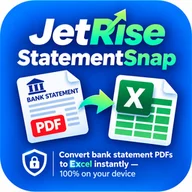
Turn bank statement PDFs into Excel on your iPhone
Import a bank or credit card statement PDF or CSV, review every transaction, see where your money went and export a clean Excel file for budgeting, taxes or your accountant.
Free to download · Pro adds unlimited imports and Excel export
What you can do with StatementSnap
- PDF and CSV import. Reads dates, merchants, amounts and categories from your statement automatically.
- Password-protected PDFs. Enter your bank's PDF password to open it. The password is never saved.
- Spending by category. Dining, groceries, transport, housing and utilities at a glance, plus your top merchants.
- One-tap Excel export. A clean spreadsheet for budgeting, tax time or your accountant.
- Private by design. Statements are processed on your iPhone. Nothing is uploaded.
Questions
Does it work with password-protected bank PDFs?
Yes. You type the PDF password when you import; it is never stored.
Does it support Taiwan and Hong Kong statements?
Yes. It reads ROC dates, NT$ and HK$ amounts and Chinese text, and the app is available in Traditional Chinese.
Is my data uploaded anywhere?
No. Statements are processed and stored only on your device.
Need help? Visit Support or email developer@jetriseitsolutions.com.